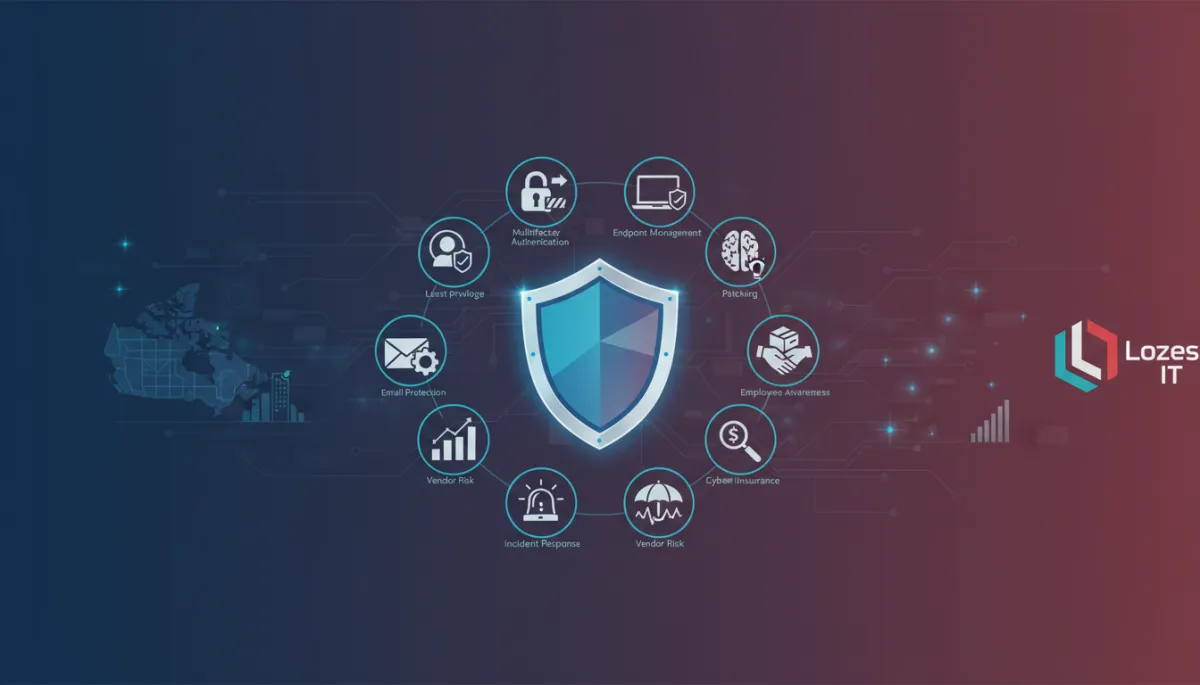
Cybersecurity Tips for Toronto Small Businesses
Cybersecurity, Small Business, Toronto & GTA
Cybersecurity Essentials for Canadian Small Businesses: 12 Controls That Reduce Risk
For small and midsize organizations across Toronto and the GTA, cybersecurity is now a practical business requirement, not an abstract IT issue. The good news: you don’t need an enterprise-sized budget to make meaningful progress. By focusing on a core set of controls aligned with Canadian guidance from the Canadian Centre for Cyber Security, you can reduce a large portion of everyday risk in a structured, measurable way.

Build Practical Cyber Resilience in 90 Days
Prioritized controls for Toronto and GTA small and midsize organizations
Start with a Simple Risk Assessment
Effective security starts with understanding what matters most. A lightweight risk assessment for a 20–500 user organization typically answers three questions:
What data and systems are critical to operations and revenue? (e.g., Microsoft 365, line-of-business apps, finance systems)
Where are they located? (cloud, on‑premises servers, laptops, mobile devices, third-party platforms)
What could realistically disrupt them? (credential theft, ransomware, accidental deletion, vendor outage)
Canadian guidance such as the Baseline Cyber Security Controls for Small and Medium Organizations focuses on exactly this kind of risk-first thinking. Once you know your key assets and threats, the following 12 controls become much easier to prioritize and explain to your leadership team.
12 Practical Controls for Canadian SMBs
1. Multifactor Authentication (MFA)
Identity-based attacks remain one of the most common ways Canadian small businesses are compromised. Enforcing MFA on Microsoft 365, VPNs, remote access tools, and key business apps dramatically reduces the impact of stolen passwords and is increasingly a prerequisite for cyber insurance coverage.
2. Least Privilege Access
Apply the principle of least privilege: users should only have the access they need to do their jobs. In Microsoft 365 and Azure, this means limiting global admin accounts, using role-based access, and regularly reviewing who can see sensitive data like payroll, client files, and health or financial records.
3. Endpoint Management and Protection
Laptops, desktops, and mobile devices are often the first point of attack. Centralized endpoint management with tools like Microsoft Intune allows you to enforce encryption, lock lost devices, deploy security policies, and monitor compliance across remote and in-office users. Pair this with modern endpoint protection or EDR to detect suspicious activity.
4. Email and Phishing Protection
Business email compromise and fraud are leading causes of financial loss in Canada. Strengthen email protection using Microsoft Defender for Office 365 or similar tools, enable anti-phishing and safe links, and configure DMARC, DKIM, and SPF to help reduce spoofing. Combine technology with clear payment-approval processes to reduce the risk of fraudulent transfers.
5. Patching and Vulnerability Management
The Canadian Centre for Cyber Security consistently lists patching as a top control. Enable automatic updates where possible, and use centralized tools to track operating system and application patch status. Prioritize internet-facing systems and critical business applications, especially VPNs, firewalls, and collaboration platforms.
6. Tested, Secure Backups
Ransomware and accidental deletion are business continuity issues, not just security issues. Maintain backups that are:
Separated from your primary environment (including Microsoft 365)
Encrypted and access-controlled
Tested regularly so you know how long recovery will actually take

Regularly tested backups turn ransomware from a crisis into a recoverable incident.
7. Employee Awareness and Training
Most attacks still start with a human decision: clicking a link, approving a payment, or reusing a password. Short, regular awareness training tailored to your environment—especially around phishing, MFA prompts, and handling sensitive data—builds a culture of shared responsibility instead of blame.
8. Vendor and Cloud Service Risk
Many Toronto-area businesses rely on line-of-business cloud apps, payment processors, and managed service providers. Basic vendor risk checks can include confirming data residency, reviewing security certifications (such as SOC 2 or CyberSecure Canada), understanding backup practices, and clarifying who is responsible for what in shared cloud environments like Microsoft 365 and Azure.
9. Incident Response Planning
A documented, rehearsed incident response plan is one of the top recommendations from Canada’s cyber authorities. Your plan should define who leads, who communicates with staff and customers, how to isolate affected systems, and how to engage external partners such as your MSP, legal counsel, and insurers. Even a concise, two-page plan is significantly better than improvising during an outage.
10. Cyber Insurance Readiness
Cyber insurance is not a replacement for controls, but it can be an important financial safety net. Insurers increasingly expect evidence of MFA, backups, endpoint protection, and documented policies. Treat cyber insurance readiness as a checklist: if you can confidently answer your insurer’s security questionnaire, you are likely addressing many core controls already.
11. Continuous Monitoring and Logging
Threats evolve quickly, and so should your visibility. Continuous monitoring can range from enabling Microsoft 365 security alerts and sign-in risk notifications to using a managed detection and response service. The goal is simple: detect unusual activity early, investigate efficiently, and respond before small issues become major incidents.
12. Governance and Ongoing Risk Review
Finally, appoint a clear owner—internal or through a partner—to keep your risk assessment and controls current. Quarterly reviews with leadership, aligned to frameworks such as Canada’s Baseline Controls or NIST CSF, help ensure cybersecurity decisions continue to match your business priorities and budget.
A 30/60/90-Day Roadmap for Toronto & GTA Organizations
First 30 Days: Stabilize the Basics
Complete a simple risk assessment and asset inventory (users, devices, key apps, data).
Enforce MFA on Microsoft 365, VPN, and remote access tools.
Turn on automatic updates where possible and address any critical missing patches.
Days 31–60: Strengthen Protection and Awareness
Deploy centralized endpoint management (e.g., Intune) for company-owned devices.
Implement or tune email security and anti-phishing protections.
Run short, focused employee training sessions on phishing and safe account use.
Days 61–90: Build Resilience and Measurable Governance
Implement and test backups for critical systems, including Microsoft 365 data.
Document an incident response plan and run a tabletop exercise with key stakeholders.
Review vendor risk, cyber insurance requirements, and enable centralized logging and alerting.
What Owners and Leaders Should Measure
You do not need to track dozens of technical metrics. For most small and midsize organizations, a concise scorecard is enough:
Percentage of users protected by MFA
Percentage of managed devices that are encrypted and up to date
Time since last tested restore from backup
Completion rate for security awareness training and phishing simulations
Number of high-priority security findings still open after 90 days
These metrics give owners, executives, and boards a clear view of progress without requiring deep technical knowledge, and they align well with both Canadian guidance and insurer expectations.
Take the Next Step with a Practical Security Assessment
LOZES IT Solutions works with Toronto and GTA organizations in the 20–500 user range to translate these controls into clear, Microsoft-focused action plans. Our cybersecurity assessments avoid fear-based messaging and vague promises; instead, we map your current state against Canadian best practices, highlight prioritized gaps, and outline practical next steps across Microsoft 365, Azure, Intune, and your broader environment.
If you’d like a structured, low-pressure way to understand where you stand and how to improve, you can book a consultation or start a LOZES IT security assessment. You’ll leave with concrete recommendations, realistic timelines, and a roadmap that helps your organization reduce cyber risk while supporting productivity and growth.
