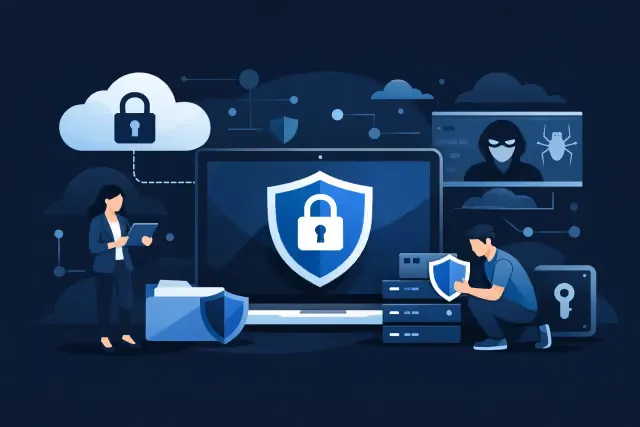
Ransomware Protection for Small Business
A Monday morning ransomware incident rarely begins with a dramatic warning. It may start with one employee approving a convincing Microsoft 365 sign-in prompt, opening a fake shared document, or using a compromised password. By the time files become inaccessible, the business may also be facing interrupted client service, payroll delays, and uncertainty about what data was accessed. Ransomware protection for small business is therefore not one software purchase. It is a practical operating plan that limits entry points, contains damage, and gives your team a credible path back to work.
For small and growing organizations, the goal is not to build an enterprise-sized security operation. It is to make sensible, layered decisions around the systems employees use every day: Microsoft 365, laptops, identities, cloud storage, and business applications.
Why ransomware affects more than files
Ransomware is designed to disrupt access to systems or data, typically after an attacker gains a foothold through a stolen credential, malicious attachment, unpatched device, or insecure remote access method. Encryption is often the visible result, but it is not always the only concern. Attackers may first copy sensitive information and use the threat of disclosure to pressure an organization.
For a small business, the immediate cost is often operational. A construction firm may lose access to project documents and estimates. A professional services team may be unable to retrieve client files. A healthcare or finance organization may have added privacy, contractual, and reporting obligations to assess with appropriate advisors.
The right response depends on your environment, the data involved, and how quickly the issue is identified. That is why prevention, detection, recovery, and decision-making all need attention. Security controls reduce risk, but no responsible provider should promise that an incident can never happen.
Ransomware protection for small business starts with identity
Many ransomware events begin with an identity compromise, not a sophisticated break-in. If an attacker can sign in as a legitimate user, they may be able to access email, cloud files, shared resources, and connected applications without immediately raising suspicion.
Multi-factor authentication is the baseline. It should be enabled for all users, with stronger controls for administrators, finance staff, and people who manage sensitive data. However, simply turning on MFA is not the finish line. Organizations should review whether users can approve repeated sign-in prompts, whether older authentication methods remain enabled, and whether privileged accounts are used only when required.
Microsoft Entra ID can help businesses apply conditional access rules based on risk, location, device status, and user role. For example, access to Microsoft 365 may be limited to compliant devices, while administrator access can require more stringent verification. The best policy set is not necessarily the strictest one. A field-based team with shared job-site realities may need a different approach than an office-based accounting firm. The design should protect the business without creating workarounds that employees will inevitably use.
Password managers, phishing-resistant sign-in methods where appropriate, and separate administrative accounts are also worthwhile considerations. These controls reduce the chance that one compromised password becomes a broad business interruption.
Manage the devices that touch your data
A secure Microsoft 365 tenant cannot fully compensate for unmanaged laptops. If devices are missing security updates, shared among users, or loaded with local administrator rights, an attacker has more opportunities to establish persistence or spread across the environment.
Microsoft Intune gives organizations a practical way to manage Windows devices remotely. It can help enforce encryption, screen-lock rules, operating system updates, security baselines, and required endpoint protection. It also provides a clearer inventory of devices accessing company data, which is especially valuable for hybrid teams and growing businesses that onboard employees quickly.
Device management needs a clear policy decision: will the company support personal devices, company-owned devices, or both? Bring-your-own-device arrangements can work, but they require more careful boundaries around company data, access conditions, and offboarding. A business with sensitive client files may decide that corporate-owned, centrally managed devices are the more practical long-term choice.
Endpoint detection and response tools add another layer by monitoring for suspicious behavior, such as unusual encryption activity, malicious scripts, or attempts to disable security tools. Microsoft Defender, when properly configured and monitored, can be part of this approach. The tool matters, but so do the alerts, escalation process, and people responsible for reviewing them.
Build backups for recovery, not just retention
A backup is useful only when it can be restored within the time your business can tolerate. Many small businesses discover too late that a backup was incomplete, inaccessible, or never tested.
Start by identifying the systems that keep operations moving. That may include Microsoft 365 mailboxes and files, accounting software, line-of-business applications, shared file servers, Azure workloads, and critical configuration records. Then define realistic recovery priorities. You may need email and identity services restored within hours, while older archive data can wait longer.
A good backup strategy separates recovery data from the systems being protected and restricts who can modify or delete backups. It should also account for the possibility that an attacker has access to a user or administrator account. Retention settings in cloud platforms can help recover deleted content, but they are not automatically a complete ransomware recovery plan.
Testing is the part organizations skip when time is tight. Schedule a recovery test that reflects a real business need: restore a project folder, recover a mailbox, bring back an application, or confirm that an Azure workload can be recovered. Document what worked, how long it took, and what dependencies caused delays. That evidence is far more useful than a dashboard showing that a backup job completed.
Prepare a response plan before you need it
When files are unavailable and employees are calling for direction, uncertainty can cause additional damage. A concise incident response plan gives leaders a starting point and helps staff avoid actions that could overwrite evidence or spread the issue.
Your plan should name the people who can make business decisions and define how to reach them outside company email. It should also set out four practical actions:
Isolate affected devices or accounts without immediately wiping systems that may need investigation.
Contact the internal IT lead or managed IT partner and begin documenting what was observed and when.
Preserve relevant logs, alerts, messages, and system details for technical review.
Communicate clearly with employees, clients, insurers, legal counsel, or other advisors as the circumstances require.
The plan does not need to be a 70-page binder. A short, current playbook is more likely to be used. Review it after major technology changes, such as a Microsoft 365 migration, acquisition, new remote-work policy, or deployment of a business-critical cloud application.
Make employee training specific to their work
Awareness training has value when it reflects the threats employees actually see. Generic annual slides rarely prepare someone for a message that appears to come from a vendor, executive, job applicant, or Microsoft notification.
Teach employees how to pause before signing in through an unexpected link, how to report a suspicious message, and what to do if they entered credentials on a questionable site. Finance and operations teams may need additional training on payment-change requests and invoice fraud. Executives and assistants may need to recognize impersonation attempts that rely on urgency and authority.
The objective is not to blame employees. Reporting needs to feel safe and fast. A team that reports a suspicious sign-in promptly gives IT a better chance to reset credentials, revoke sessions, and investigate before an attacker expands access.
Turn security findings into a manageable plan
Small businesses often have a mixture of old and new technology: Microsoft 365 alongside legacy file shares, remote access tools that were added quickly, devices purchased outside a standard process, and admin accounts that no one has reviewed in years. Trying to fix everything at once can stall progress.
A structured assessment helps prioritize work based on business impact. Start by identifying key identities, sensitive data, critical applications, current backup coverage, device management gaps, and existing security alerts. From there, design a phased plan that addresses high-risk exposures first, implements the needed controls, and assigns ongoing ownership.
This is where the Assess, Design, Implement, and Support approach is useful. Assessment establishes the current state. Design aligns controls with how employees work. Implementation applies and documents the changes. Support keeps policies, devices, identities, and recovery procedures from drifting over time.
For organizations using the Microsoft ecosystem, a security readiness review can clarify whether Entra ID, Intune, Microsoft Defender, Microsoft 365, and Azure are configured to support the level of protection the business needs. Lozes IT can help translate those findings into a practical roadmap rather than a list of technical warnings.
The most useful next step is to choose one recovery scenario your business cannot afford to mishandle, then test it. That exercise will reveal where ransomware protection needs investment and give your leadership team a clearer basis for action.
